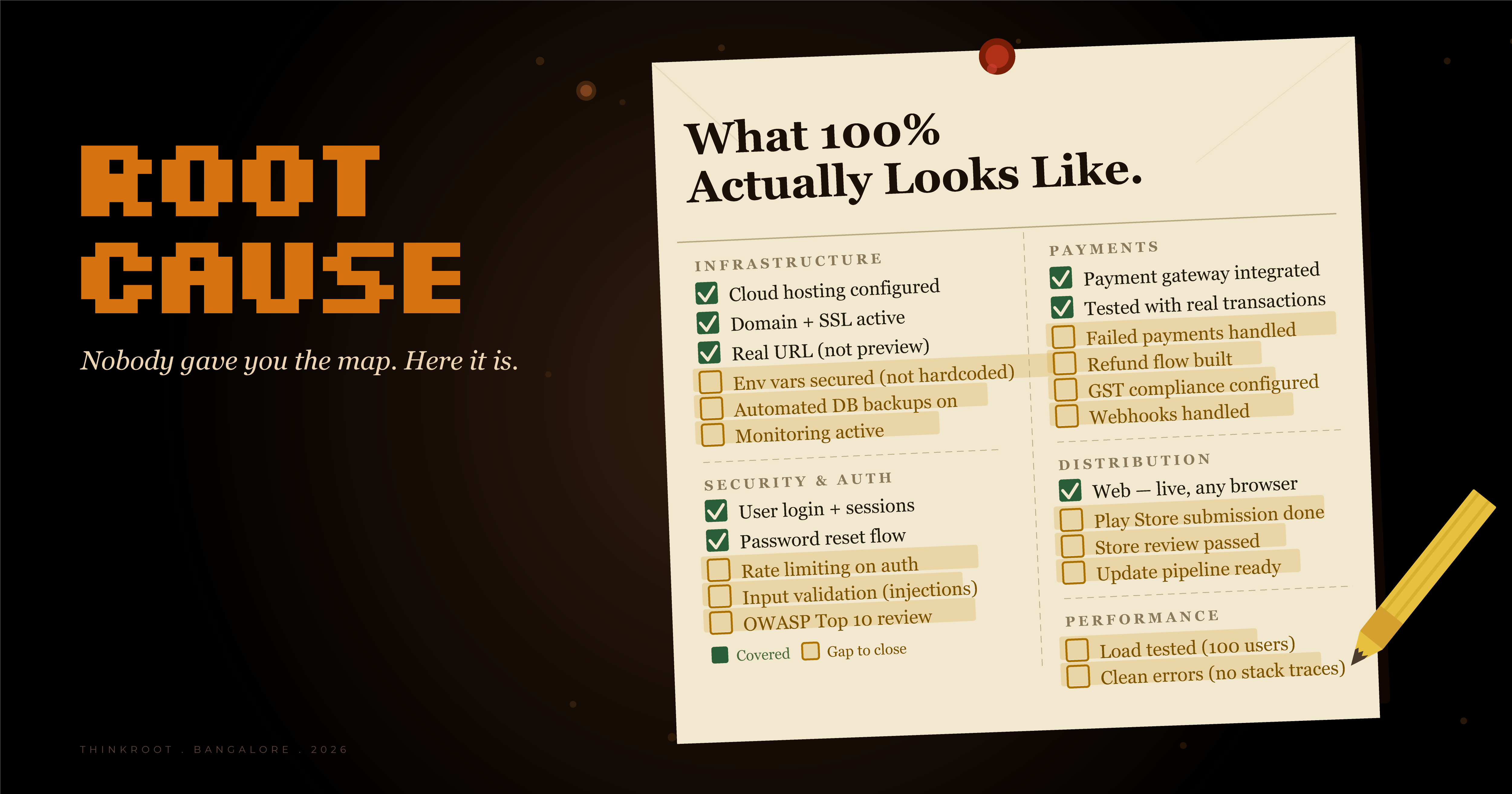
What 100% Actually Looks Like
What a production-ready app actually needs - and why the checklist nobody gave you is longer than you think.
Author's note
| Three people replied to Issue #2 saying they had no idea the deployment gap cost that much. One person said they'd been 'figuring it out as they go' for six months. This issue is for them - and for everyone who started building without the full picture. Not to overwhelm. To make the invisible visible. |
|---|
Nobody gave you a map. So here's the map.
This is what a production-ready app actually needs. Not a demo. Not a preview. An app that real users can use, pay with, return to, and recommend to a friend.
I'll go category by category.
INFRASTRUCTURE
Your app needs to live somewhere that isn't your laptop. That means: cloud hosting configured, your own domain, SSL certificate active. It means environment variables secured - not hardcoded in your codebase where someone can find them. It means your database is backed up automatically so you don't lose everything if something goes wrong. It means monitoring is on, so when something breaks, you know before your users do.
Most builders give you a 'preview URL.' That is not infrastructure. That is a demo.
SECURITY & AUTH
Users need to log in. And that login needs to survive: expired sessions, forgotten passwords, someone trying the same password 500 times in a row (rate limiting), someone trying to inject code into your forms (input validation). A basic security review against the OWASP Top 10 is the minimum. This sounds technical. It isn't really. It's a checklist. The problem is you have to know the checklist exists.
PAYMENTS (if you're charging)
The payment gateway needs to be integrated, tested with real transactions, and handle failed payments gracefully. Refunds need a flow. If you're in India, GST compliance needs to be configured. Webhooks need to be handled - that's the system your payment provider uses to tell you 'this payment worked' or 'this one failed.'
If payment breaks after launch and you don't know about it, you lose customers and money at the same time. Silently.
DISTRIBUTION
Web: your app lives at a real URL, accessible from any browser, anywhere in the world.Mobile: Play Store submission complete, review passed, update pipeline ready.
These two words - 'submission' and 'review' — hide about three weeks of work that surprises everyone the first time.
PERFORMANCE
What happens when 100 people use your app at the same time? Load testing answers this before your users answer it for you. Error handling means when something breaks, users see a clean message — not a raw stack trace that reads like a horror novel.
Most AI builders cover 40–60% of this list. Some get closer to 60%. None covers all of it.
This is not a criticism of the tools. This is what's true.
ThinkRoot was built to cover as much of this list as possible - especially the infrastructure, deployment, and distribution sections. We'll be transparent with you about our current coverage and where the gaps still are.
But wherever you are in your build: print this list. It's the map you didn't have. Every item you can tick is progress toward something real.
Next issue — we're going to talk about why smart people keep getting stuck at the same place, even with this map. Because the problem isn't always information. Sometimes it's something else entirely.
| Next issue → Why smart, experienced founders keep hitting The Wall — even when they know it's coming. It's not what you think. |
|---|